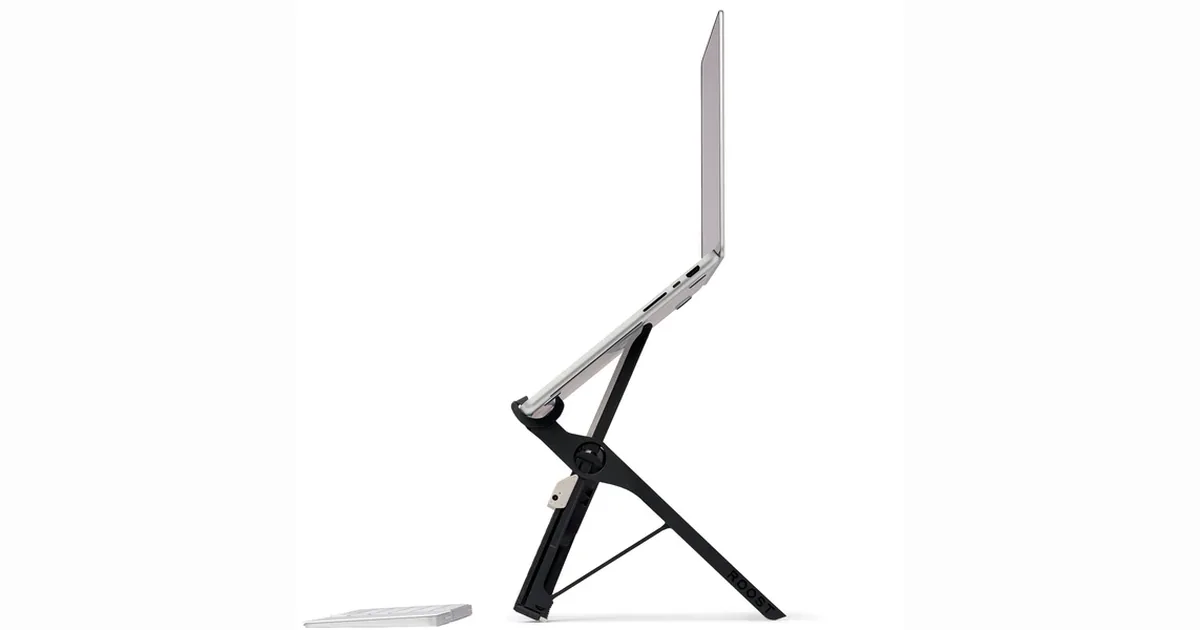
Neck pain is the occupational injury of the digital nomad, and a laptop stand is the cheapest cure. The Roost is the stand that started the category, and it is still the one people compare everything else to. This roost laptop stand review covers the current V3, how it packs, how stable it is with a heavy 16 inch machine, whether the ergonomics justify the price when a Nexstand costs a third as much, and who should buy the MOFT instead.
Disclosure: WhereToNomad may earn a small commission if you buy through links on this page, at no extra cost to you. We only cover gear we would genuinely pack ourselves, and our verdict is our own.
Setting up a remote office abroad? Take the free WhereToNomad quiz to match your income and passport against 49+ digital nomad visa countries in about 3 minutes.
Roost Laptop Stand Review: Quick Verdict
Rating: 4.5 / 5. The Roost V3 is the best portable laptop stand for people who work from a different desk every week. It lifts the screen to eye level, folds to the size of a rolled newspaper, weighs almost nothing, and is stable enough for a 16 inch MacBook Pro. It is expensive for a piece of plastic, and it only makes sense if you also carry a keyboard and mouse. If you type on the laptop keyboard, buy a low-rise stand like the MOFT instead.
Pros
- Raises the screen 6 to 12 inches, adjustable, to proper eye level
- Folds to about 13 x 1.5 inches and weighs roughly 6 oz
- Stable with laptops up to 16 inches and several pounds
- Rubber grips do not scratch the laptop
- Ships with a fabric sleeve, and the design has barely needed to change
Cons
- Roughly $90, which is a lot for a stand
- Requires an external keyboard and mouse, so it is part of a bigger kit
- Takes a few seconds to set up and can feel fiddly at first
- Plastic construction, so treat it with some care
What Is the Roost Laptop Stand?
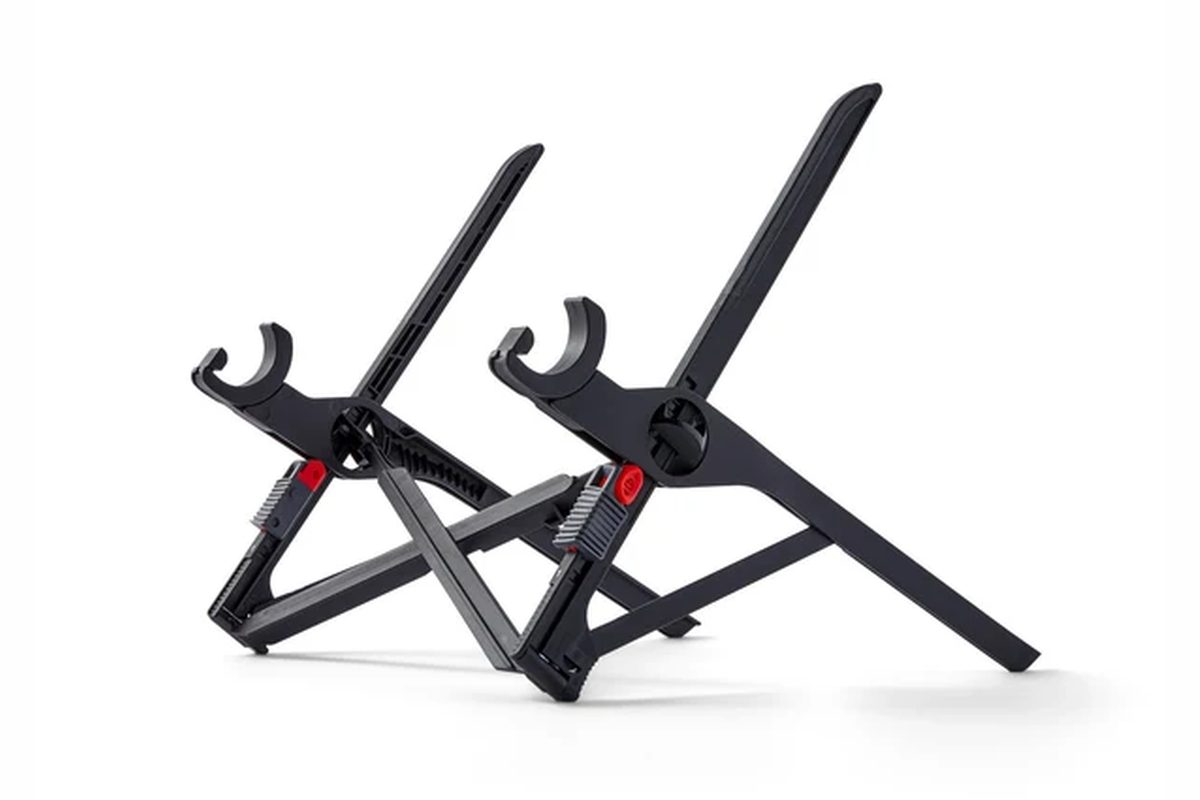
The Roost is a folding stand that lifts the screen of your laptop to eye level so you look straight ahead rather than down. It started on Kickstarter, became the default recommendation in every nomad and remote-work community, and is now on its third version. It is made of glass-reinforced plastic with rubber-tipped feet, and it collapses into a single flat strip that slips into a laptop sleeve.
Key Specs
| Spec | Detail |
|---|---|
| Version | V3 |
| Folded size | About 13 x 1.5 x 1.3 in |
| Weight | About 6 oz (170 g) |
| Height | Adjustable, roughly 6 to 12 inches of lift |
| Laptop fit | 10 to 16 inch laptops, most thicknesses |
| Material | Glass-reinforced plastic with rubber grips |
| Included | Fabric carry sleeve |
| Price | Roughly $90 |
Ergonomics: Why Screen Height Matters
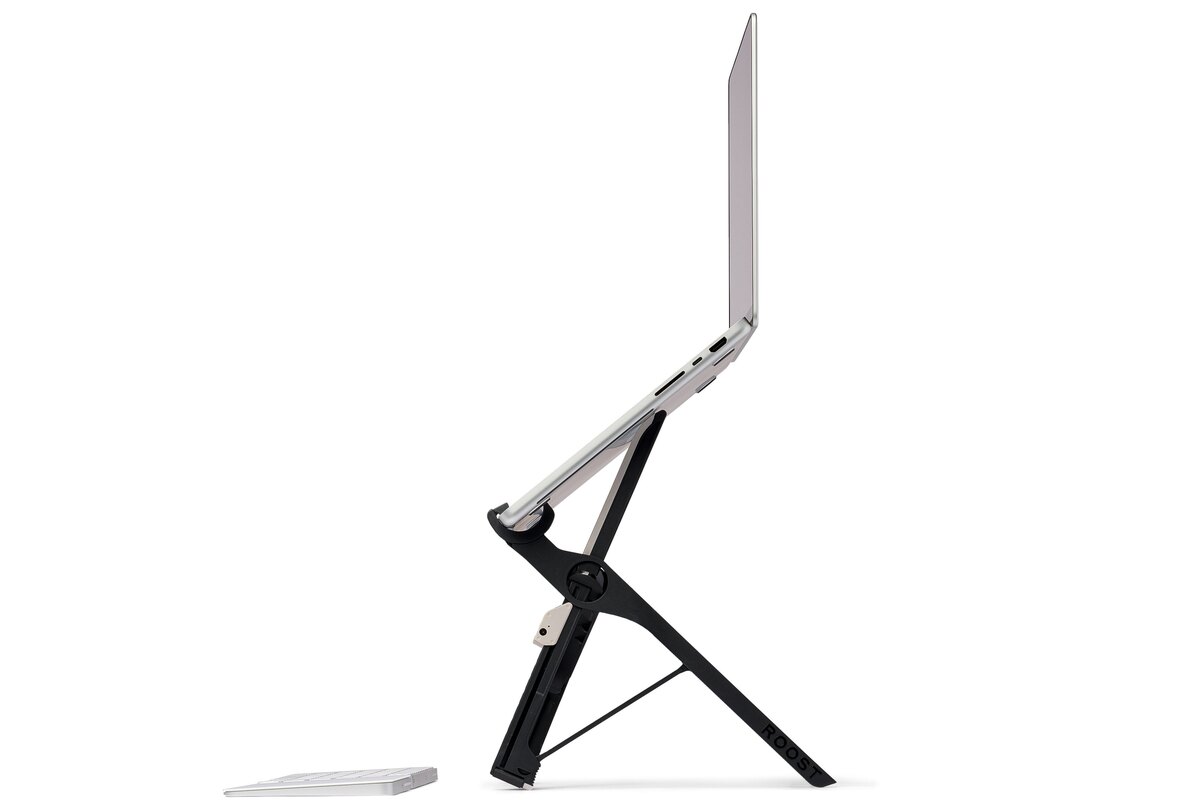
Working on a laptop on a flat table puts the screen about a foot below eye level, which forces your neck into a forward tilt for hours. The recommended position, per OSHA’s workstation guidance, is the top of the screen at or just below eye level, and no laptop achieves that on its own. The Roost lifts the screen to that position, and because the height is adjustable, it works whether you are at a low cafe table or a proper desk.
The catch is that once the screen is at eye level, the keyboard is at chin level, so you need an external keyboard and mouse. That turns the Roost from a $90 purchase into a full portable office. Many nomads pair it with a compact Bluetooth keyboard like the Logitech MX Keys Mini and a small mouse, all of which fit together in a laptop sleeve pocket or a tech pouch.
Stability and Build
The Roost holds a 16 inch MacBook Pro without wobble, which is the test that most cheap stands fail. The feet are wide and the rubber grips keep the laptop from sliding. Tapping the screen to close a lid or adjust an angle does not tip it. The plastic feels premium and flexes rather than cracks, and there are owners who have been using the same Roost daily for many years.
The only durability note is that the folding joints can loosen over years of heavy use. Roost sells replacement parts and has a reputation for helpful support.
The Downsides You Should Know
Price. Ninety dollars is the whole objection. Cheaper stands do the same job with less refinement.
Fiddly setup. Opening the Roost involves unfolding two legs and flipping out the hooks. It takes five seconds once you learn it and thirty seconds the first few times.
Needs a keyboard. Already covered, but worth repeating: if you do not want to carry a keyboard and mouse, this is the wrong stand.
Roost Laptop Stand vs the Alternatives
Nexstand K2 (roughly $30 to $40) is the best budget alternative. It is heavier, bulkier when folded and has a more industrial look, but it lifts the screen to a similar height and is stable with large laptops. If price is the main concern, buy this.
MOFT Laptop Stand (roughly $30) is a low-rise adhesive stand that sticks to the bottom of the laptop. It lifts the screen a couple of inches and improves the typing angle, but does not get the screen to eye level. Choose it if you type on the laptop keyboard and want something that is always attached.
Twelve South Curve Flex (roughly $80) is a premium metal stand that is more elegant on a desk and less packable than the Roost.
The Roost wins on packability and height. The Nexstand wins on price. The MOFT wins for people who will not carry a keyboard.
Is the Roost Laptop Stand Worth It?
If you work from a laptop for hours a day, move between desks, and are willing to carry a compact keyboard and mouse, yes. It is the lightest, most packable way to get a proper ergonomic setup, and it will likely outlast the laptop it holds. If you type on the laptop or want to spend $30, the Nexstand or MOFT are the smart alternatives.
See the latest Roost Laptop Stand priceFor the rest of a portable office, see our AI tools for digital nomads guide and digital nomad toolkit.
Roost Laptop Stand Review: FAQ
Does the Roost stand fit a 16 inch MacBook Pro? Yes. It is rated for laptops up to 16 inches and holds the 16 inch MacBook Pro without wobble.
Can I type on my laptop while it is on the Roost? Not comfortably. The screen is at eye level, so the keyboard is too high. The Roost is designed to be used with an external keyboard and mouse.
Roost or Nexstand? The Roost is lighter, slimmer and more refined; the Nexstand does the same job for about a third of the price. Choose the Roost for packability and the Nexstand for value.
What is new in the Roost V3? The V3 refined the hooks and grips and improved compatibility with thinner and thicker laptops. The basic folding design is unchanged from earlier versions.
Ready to figure out where you are heading next? Take the free WhereToNomad quiz for a personalized shortlist of visa countries based on your income, passport, and travel style.
Also read: Peak Design Tech Pouch Review | Nomad Lane Bento Bag Review | Digital Nomad Burnout | Digital Nomad Toolkit
Find your perfect digital nomad visa match
Answer 5 questions — personalized results in under 2 minutes. Free.
Take the Free Quiz →